
Turn Approved Orders Into Work Production Can Follow.
Create structured jobs from approved estimates, storefront orders, repeat requirements or direct entry. Carry the specification into a production record that connects the customer commitment with the work required to fulfil it.
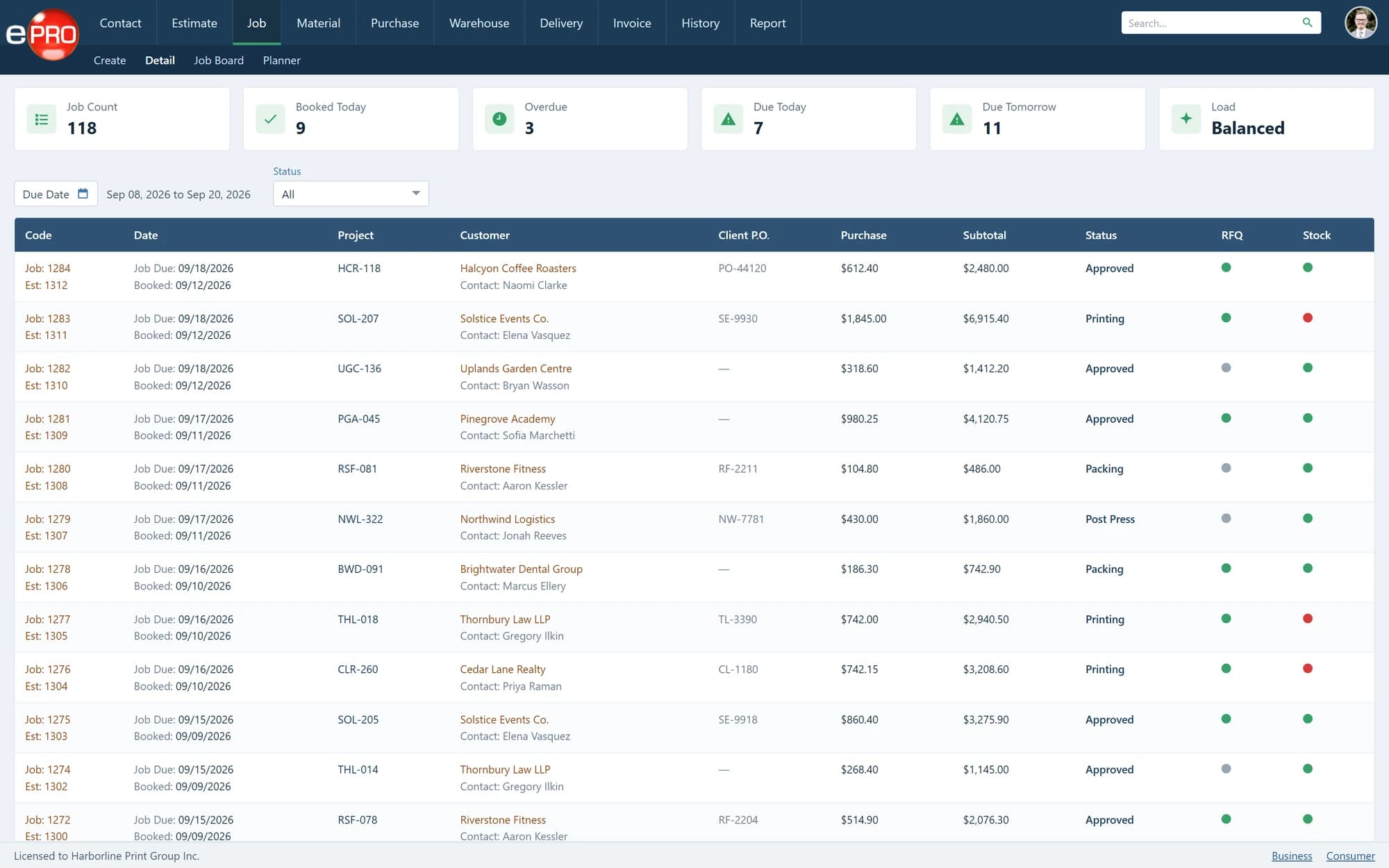
Product views shown with sample data.
A Customer Order Is Not Yet a Production Instruction.
A customer may approve a price and delivery date. Production needs to know the quantities, materials, processes, finishing and instructions behind that commitment.
The handover matters. Work can be printed correctly and still fail the requirement because a finishing instruction, packing detail or delivery destination was missed.
Give the team a clear working reference before production begins.
Establish the Job.
- 01
Carry forward approved information
Use the specification established during estimating or online ordering as the starting point. Reduce repeated entry at the point where the commercial agreement becomes operational work.
- 02
Prepare the job ticket
Provide the quantities, materials, production processes and work instructions needed to manufacture the job. Give departments a reference they can work from.
- 03
Support different entry routes
Not every order arrives online. Manage internally entered requirements and repeat work alongside approved quotations and storefront orders.
- 04
Keep related activity connected
Connect the job with production planning, purchasing, stock requirements, delivery and invoicing. Retain the relationship between the work being produced and the transactions supporting it.
Make the Handover Between Departments More Reliable.
Imagine a brochure requiring printing, folding, stitching, packing and delivery.
Each stage needs different information, but all stages belong to the same customer requirement. A structured job record gives the business a common reference as responsibility moves between departments.
The purpose is not simply to issue a job number. It is to preserve the information needed to complete the work.
From Approval to Completion.
- 01Approved Requirement
- 02Job Entry
- 03Job Ticket
- 04Production
- 05Delivery
- 06Invoice
The Job Management module establishes the work. The Job Board and Planner support visibility and scheduling as it progresses.
Frequently asked questions
Does every job need to begin with an online order?
No. Work can also begin through internal estimates, repeat requirements or direct job entry.
Does ePRO provide production job tickets?
Yes. Job tickets form part of the job-management workflow.
How is Job Management different from the Job Board?
Job Management establishes the job and its instructions. The Job Board provides an overview of active work and recorded production status.
Give Production a Better Starting Point.
Review how your approved requirements become job records, production instructions and completed work.
