
Web-to-Print at the Front.Print MIS at the Core.
Connect your customers, estimating, production and fulfilment in one print management system.
ePRO combines customer-facing web-to-print with the operational MIS behind it — connecting estimating, RFQs, jobs, production, purchasing, warehouse, delivery, invoicing and reporting.
One connected workflow from customer requirement to invoice.
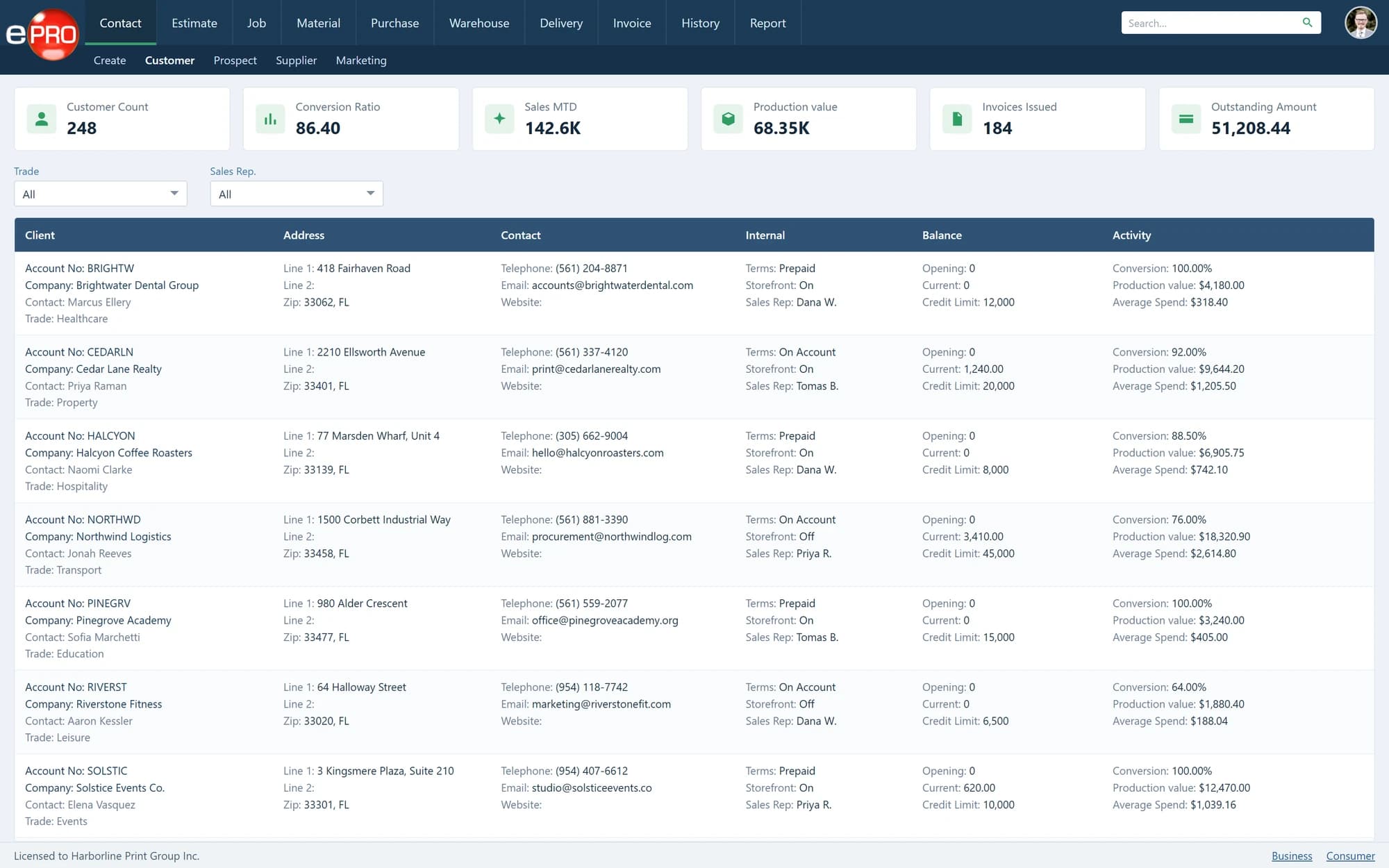
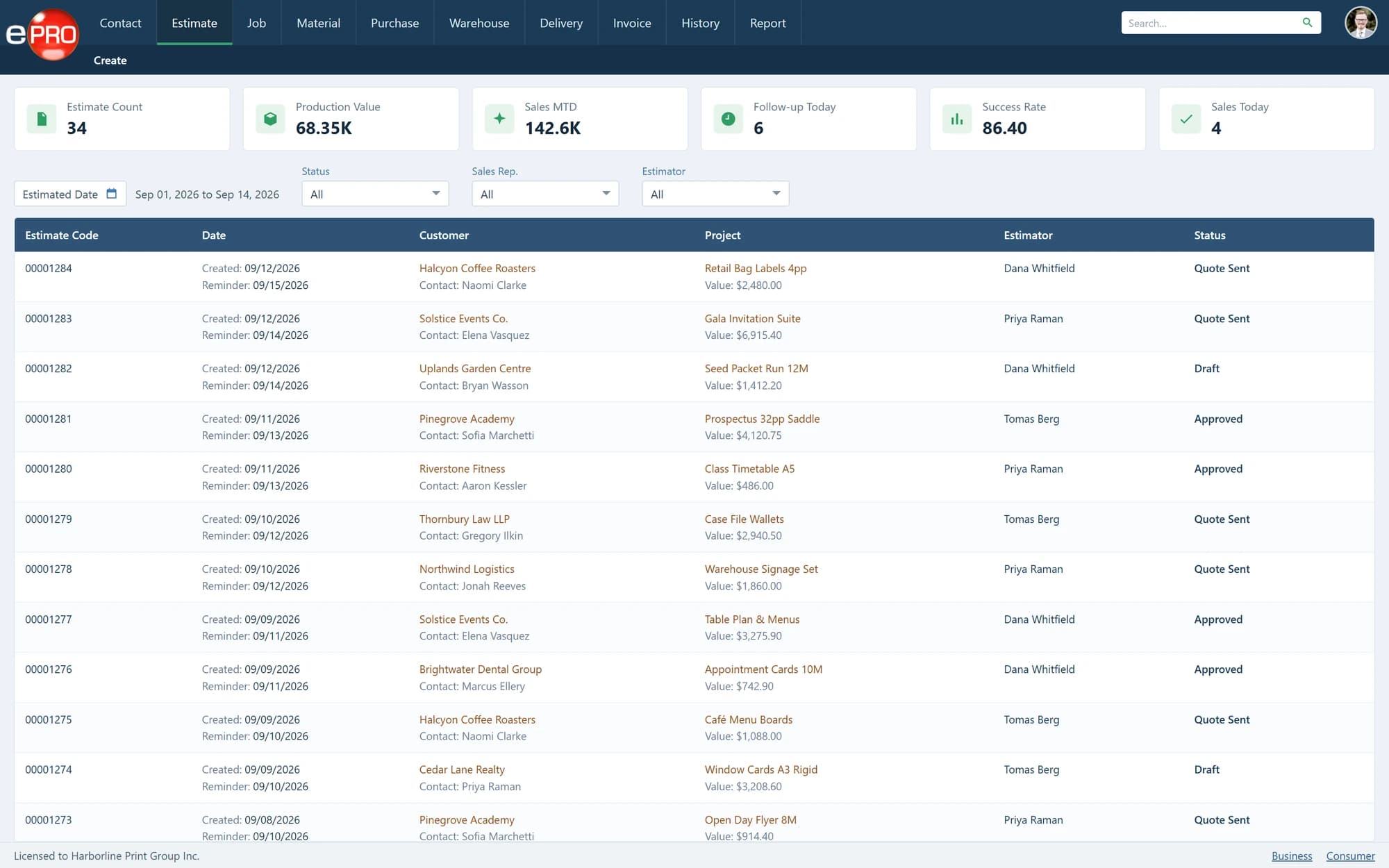
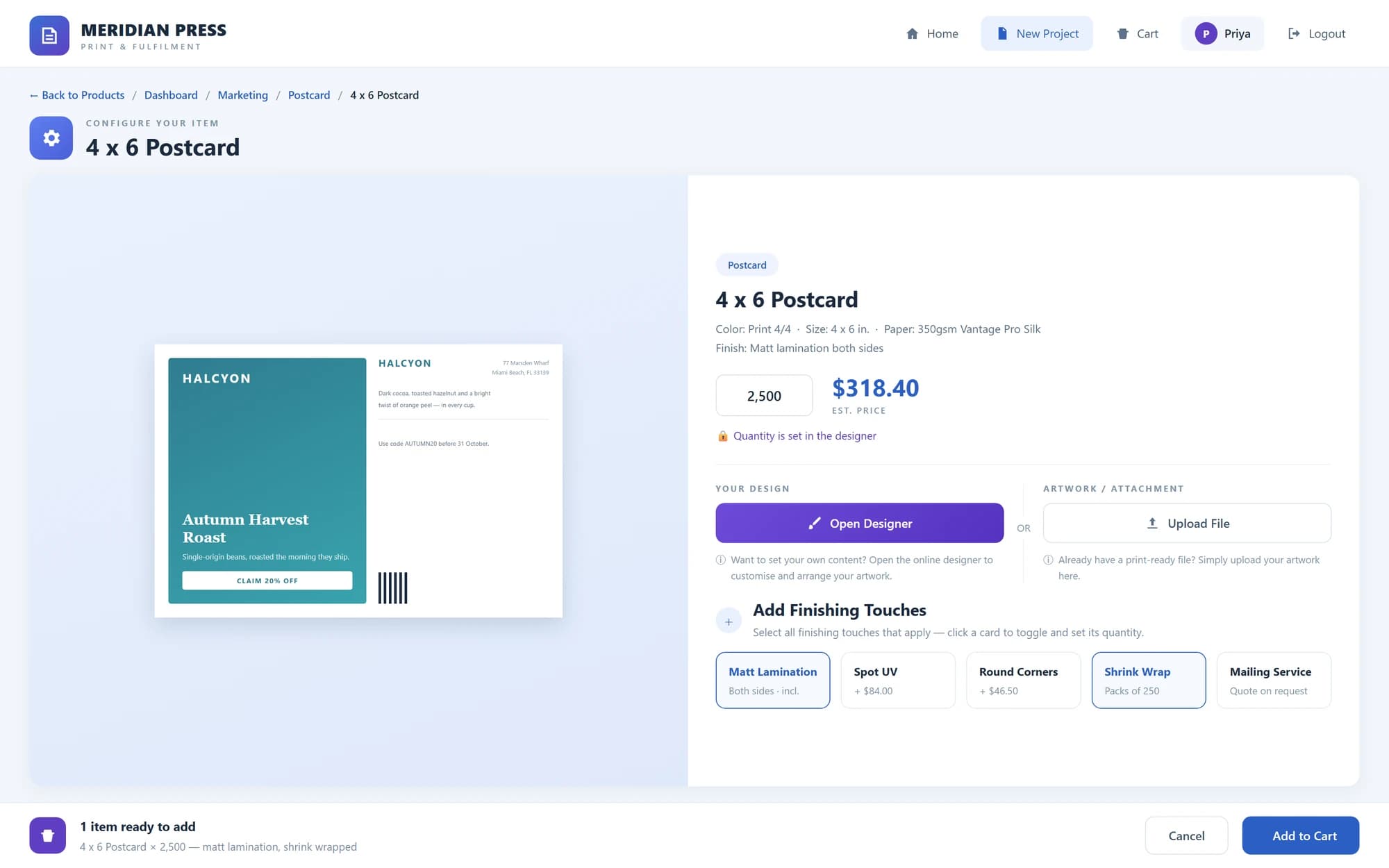
01/14 Contacts & CRM
One System From Customer Requirement to Invoice.
Taking an order online is only the beginning. The real value of web-to-print comes when customer activity flows directly into the system managing the rest of the business. ePRO connects the customer-facing storefront with estimating, production, purchasing, inventory, fulfilment, billing and management information.
- 01
No disconnected storefront.
- 02
No unnecessary re-entry.
- 03
No separate systems managing different stages of the same job.
Customer → Storefront → Estimate → Job → Production → Delivery → Invoice
One system from order to revenue.
From Enquiry to Invoice.
- 01
Receive the Requirement
Work can enter through a customer storefront, internal enquiry, RFQ, repeat order or direct job entry.
- 02
Create the Estimate
Build the specification around materials, production processes, finishing, outsourced services, quantities, costs, pricing and margin.
- 03
Approve and Book the Work
Turn an approved estimate or online order into a production job without entering the same information again.
- 04
Plan and Produce
Issue job instructions, manage production status and plan work through the required departments and processes.
- 05
Purchase and Manage Stock
Raise purchase orders for materials, outsourced work and supplier services. Receive and manage inventory through the warehouse where required.
- 06
Deliver, Invoice and Report
Dispatch completed work, create invoices and maintain visibility across the commercial and operational workflow.
Enquiry → Estimate → Approval → Job → Production → Delivery → Invoice
Everything You Need to Run a Print Business.
- 01
Web-to-Print Storefronts
Give customers controlled online access to products, pricing, templates, ordering and order history.
Learn more - 02
CRM
Manage customers, prospects, contacts, locations and suppliers.
Learn more - 03
Print Estimating
Build structured estimates using materials, processes, quantities, production costs, pricing rules, markups and gross margin controls.
Learn more - 04
Outsourcing & RFQs
Request supplier pricing and manage work or processes that need to be produced externally.
Learn more - 05
Job Management
Convert approved work into production jobs with the specifications and instructions required to manufacture it.
Learn more - 06
Job Board & Planning
Monitor active work, priorities, departments, due dates and production status.
Learn more - 07
Materials & Purchasing
Manage production materials and raise purchase orders for stock, outsourced work and supplier services.
Learn more - 08
Warehouse & Inventory
Receive, store, allocate, pick and release customer-owned and company-owned inventory.
Learn more - 09
Delivery & Fulfilment
Manage packing, shipping, dispatch and delivery to one or more locations.
Learn more - 10
Invoicing
Create invoices from completed jobs, delivered quantities and warehouse releases.
Learn more - 11
Reporting
Maintain visibility across sales, estimating, jobs, purchasing, inventory, delivery and financial activity.
Learn more
Make It Easier for Customers to Buy From You.
Create controlled online storefronts where customers, branches, departments and approved users can access the products, pricing and ordering options relevant to them.
- 01
Private Storefronts
Give individual customers access to their own products, pricing, templates and order history.
- 02
Multiple Locations
Support organisations with multiple branches, departments, users and delivery locations.
- 03
Online Estimating
Allow customers to obtain pricing for approved products and specifications.
- 04
Online Design
Enable users to personalise approved products within controlled templates.
- 05
Artwork Upload
Allow customers to submit artwork as part of the ordering process.
- 06
Quote Approval
Move estimates through customer approval before work enters production.
- 07
Repeat Ordering
Make frequently purchased products easy to reorder.
- 08
Automated Job Entry
Turn approved online orders into jobs without entering the same information again.
Give customers 24/7 access without creating 24/7 administration.
Know the Job Before You Produce It.
Print estimating is more than quantity multiplied by a price. ePRO builds estimates around the components that determine how a job will actually be produced.
- Materials
- Presses & Production Processes
- Pre-Press
- Finishing
- Outsourced Services
- Production Time
- Quantities
- Delivery
- Costs
- Markup
- Gross Margin
Understand the commercial position of the job before committing it to production.
Estimate consistently. Price commercially. Protect margin.
AI-Assisted Estimating Inside ePRO.
ePRO AI is being developed specifically for the estimating workflow inside ePRO. It is separate from the standalone AI Print Estimator and will be introduced in phases.
Phase 1 — Reference Past Jobs & Product Templates
Use previously produced jobs and established product templates as reference points when preparing a new estimate. Rather than starting from a blank page, ePRO AI can help the estimator identify relevant historical work or an existing estimating structure to use as the basis of the requirement.
Gross Margin Protection
Apply an optional minimum gross margin as a hard commercial safeguard. When enabled, the estimate must protect the gross margin defined by the business.
Reference what you already know. Estimate faster. Protect the return.
Phase 2 — Create Custom Estimates & Compare Multiple Presses
ePRO AI will extend beyond historical jobs and templates to create custom estimates for new requirements. It will compare the job across multiple presses, allowing different production methods, costs and commercial outcomes to be considered before the estimate is finalised.
Create the estimate. Compare the presses. Review the options.
Phase 3 — Undisclosed
The next stage of ePRO AI development will be revealed at a later date.
The existing ePRO estimating engine remains at the core.
AI assists the estimator. ePRO provides the production, costing and pricing structure behind it.
Manage Internal and External Production in the Same Workflow.
Not every job or production process needs to happen inside your own plant. Use ePRO to estimate work produced internally or create an RFQ when a job, component or specialist process needs to be outsourced.
Produce Internally
Calculate the estimate using your own materials, equipment, production processes, costs and pricing rules.
Outsource
Create an RFQ, send the structured requirement to suppliers, collect pricing and include the outsourced cost within the customer estimate.
Estimate → RFQ → Supplier Quote → Purchase → Job
When the work is approved, purchasing connects the supplier requirement with the job.
Your customer receives one estimate.
Your team retains visibility of how the work will be produced.
Keep Work Moving Through Production.
Once work is approved, ePRO carries the job specification and production requirements into the operational workflow.
- 01
Job Instructions
Provide production with the approved specification, quantities, materials, processes and work instructions required for the job.
- 02
Job Board
See active work, job status, priorities and due dates across the operation.
- 03
Production Planning
Plan work through departments, equipment and production processes.
- 04
Job Progress
Maintain visibility as work moves through the stages required to complete the job.
Estimate it. Plan it. Produce it. Deliver it.
Connect Production With Purchasing.
Purchasing should be driven by operational demand — not disconnected spreadsheets and manual reminders. ePRO connects purchase requirements with the jobs, inventory and outsourced services that created them.
Manage purchasing for:
- Materials
- Outsourced Print
- Finishing
- Supplier Services
- Inventory Replenishment
Maintain visibility from the original requirement through purchase order and receipt.
Manage Stock Beyond the Print Job.
Not everything produced or purchased is shipped immediately. ePRO Warehouse supports businesses that manufacture, purchase or hold goods for future customer release. Manage customer-owned and company-owned inventory from receipt through storage and fulfilment.
Receive → Store → Allocate → Pick → Release → Bill
Support:
- Opening stock
- Stock replenishment
- Customer-owned inventory
- Company-owned inventory
- Partial releases
- Multiple ship-to locations
- Stock availability
- Packing and dispatch
- Release-based billing
Extend the Workflow.
Connect ePRO with accounting, payments, shipping and external business systems.
- 01
QuickBooks Online
Connect invoicing and accounting workflows.
- 02
Stripe
Support online payment processing.
- 03
GoShippo
Connect shipping and fulfilment workflows.
- 04
APIs & Custom Integration
Connect ePRO with customer portals, supplier systems and other business applications.
One MIS. Different Print Businesses.
Commercial Printers
Connect sales, estimating, production, purchasing, delivery and invoicing.
Digital Printers
Manage short-run, repeat and online work through one operational system.
Litho Printers
Estimate and manage materials, press, finishing and outsourced production requirements.
Trade Printers
Receive and manage work from resellers, brokers and other print businesses.
Print Brokers
Control customers, estimating, supplier RFQs, purchasing, delivery and margin.
Print Management Companies
Manage complex customer requirements, external suppliers, inventory and multi-location fulfilment.
In-Plant Operations
Control internal print requirements, approvals, production and reporting.
Multi-Location Print Operations
Manage customers, users, production and delivery requirements across multiple locations.
More Than 20 Years of Print Software Development.
Built around print. Developed through the industry.
ePRO has evolved through years of working with commercial printers, print brokers, in-plants and organisations managing complex print workflows. More than 400 PrintMIS installations contribute to that experience.
Every implementation adds to our understanding of estimating, production, purchasing, inventory, fulfilment and the commercial realities of running a print operation. That experience continues to shape ePRO.
Choose the Right Pricing Option for Your Organisation.
From source-code licensing and government requirements to enterprise subscriptions and small-business pricing.
- 01
Source Code
Organisations requiring source-code access and greater control over future development.
- 02
Government
Public-sector print operations with defined procurement, implementation and deployment requirements.
- 03
Enterprise
Established print businesses seeking a fixed software subscription and unlimited MIS users.
- 04
Small Business
Businesses preferring to pay according to the billable records they create.
Frequently asked questions
What is ePRO Web-to-Print MIS?
ePRO is a print management information system that combines customer-facing web-to-print with estimating, RFQs, jobs, production, purchasing, warehouse, delivery, invoicing and reporting.
Is ePRO only web-to-print software?
No. Web-to-print is the customer-facing part of ePRO. Behind the storefront is the MIS used to manage the operational workflow of the print business.
Can customers have their own storefront?
Yes. Create controlled storefronts for individual customers, branches, departments, locations and approved users.
Can we enter work that does not come through web-to-print?
Yes. Web-to-print is one route into the system. Your team can also create estimates, RFQs, jobs and repeat work internally.
Does ePRO include print estimating?
Yes. ePRO includes an established print estimating system using structured specifications, materials, production processes, costs, markups and commercial pricing rules.
What is ePRO AI?
ePRO AI is an AI-assisted estimating capability being developed specifically for ePRO. It will be introduced in phases. Phase 1: reference past jobs and product templates when preparing estimates. Phase 2: create custom estimates and compare the requirement across multiple presses.
Is ePRO AI the same as the AI Print Estimator?
No. The AI Print Estimator is a standalone product. ePRO AI is developed specifically for the estimating environment inside ePRO Web-to-Print MIS.
How will ePRO AI protect gross margin?
An optional gross margin control can operate as a hard commercial safeguard. When enabled, the estimate must meet the minimum gross margin defined by the business.
Can ePRO manage outsourced work?
Yes. Create RFQs, obtain supplier pricing, include outsourced costs in estimates and manage purchasing alongside internally produced work.
How will the Print Supplier Network connect with ePRO?
The integration will allow ePRO RFQs to extend beyond suppliers already held within your own system and reach a wider pool of suppliers across the print trade.
Does ePRO include warehouse management?
Yes. Warehouse workflows support stock receipt, storage, allocation, picking, releases, fulfilment and release-based billing.
Does ePRO integrate with other systems?
Yes. ePRO supports integrations including QuickBooks Online, Stripe and GoShippo, together with APIs and custom integrations for additional requirements.
Can ePRO be configured around our operation?
Yes. ePRO provides a connected operational core that can be configured around customer, estimating, production, purchasing, inventory, fulfilment and reporting requirements. Custom development and integration are available where deeper requirements exist.
See the Workflow Before You Buy.
Watch the ePRO demonstration to see how web-to-print, estimating, production, purchasing, warehouse, delivery and invoicing work together in one connected system. Review the platform, assess how it fits your operation and proceed when you are ready.
Watch. Evaluate. Buy.
Need to discuss migration, integrations or a more complex implementation?
